Dell L290EM-00 Power supply pinout
Context
I came into possession of an old (either from 2001 or 2011, based on how Dell serial numbers work) Dell power supply. I wanted to use it as a regular benchtop power supply since it was probably better than any cheap power supply I could buy on Amazon. Skip to the bottom for the exact details of my PSU if you happen to have this exact model.
To do so, I needed a pinout. Thankfully, someone with a similar Dell PSU probed theirs, and found out the pinout. https://www.dell.com/community/en/conversations/optiplex-desktops/optiplex-proprietary-8-pin-and-6-pin-pinout/647f8f68f4ccf8a8de077d92
Their unit being much newer, I tested their pinout against mine and it checked out.
Diagram
Here’s what you probably came for, a nice diagram.
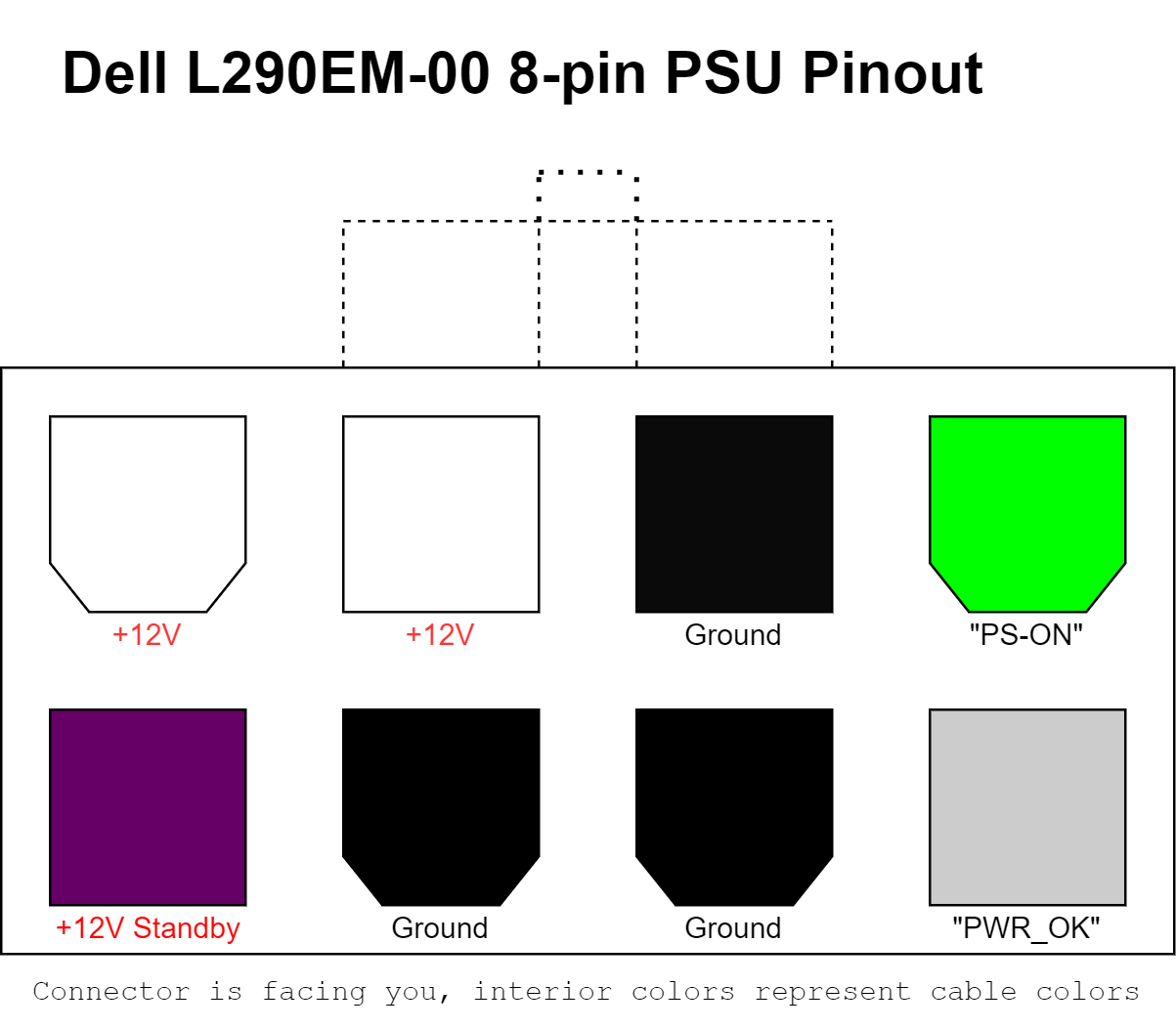
Remember that if you want to use this for testing, without an actual load, you should short the “PS-ON” connector to Ground, since it’s active-high; otherwise, only the standby rail will be available.
Draw.io
I wanted to put together a clean-looking pinout image, and I had two choices: Inkscape, or Draw.io. I leaned towards the latter for the sake of simplicity.
I quickly ran into a small issue though, and it had to do with shapes. In most professional pinout diagrams, the color of the cable is shown by highlighting the interior area of the individual connector pin that it corresponds to.
For example, see this very well-done diagram:
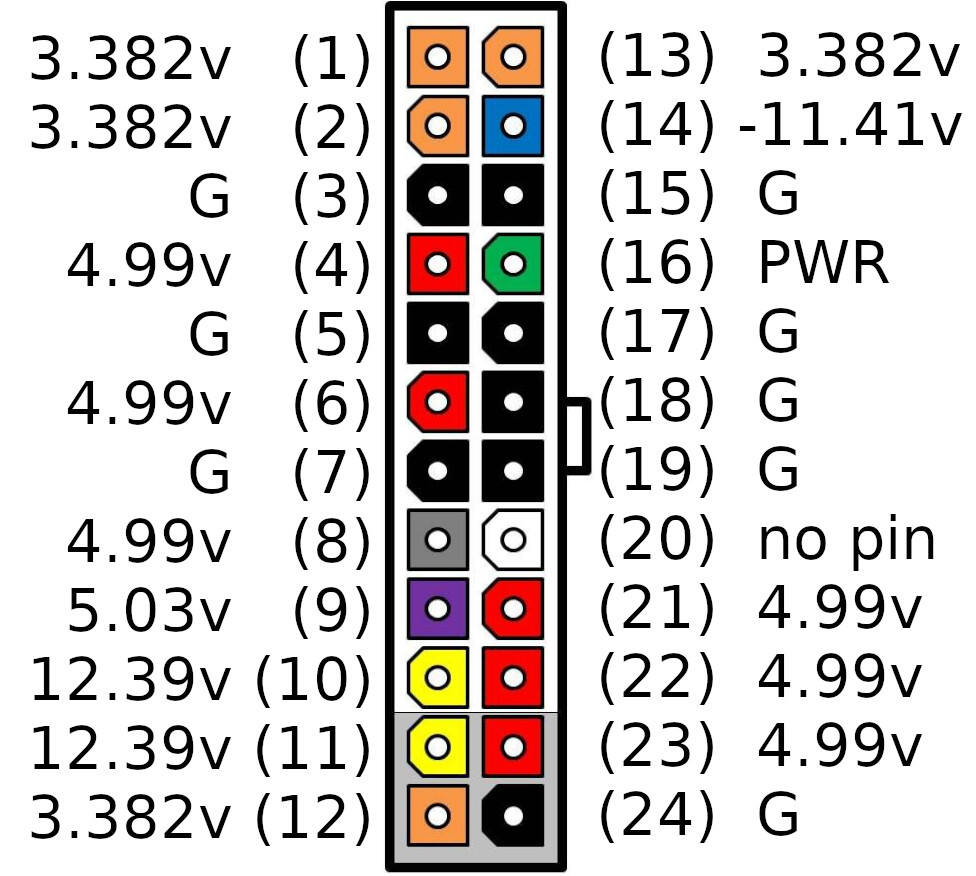
The ATX PSU connectors have 2 shapes: a regular square, and a 6-sided shape that kind of looks like a U. Draw.io can obviously let you free-hand draw custom shapes, but it doesn’t recognize this as regular closed-path shapes; for example, I can’t free-hand draw a square and then customize that shape exactly as it were a square.
To get around this, draw.io lets you use the XML specification to define your own shape. To make the pinout diagram above, I created my own shape using XML:
<!--
    Defines the shape of some ATX Power Supply individual connectors.
    One of the shapes in ATX PSUs is a square, the other is this 6-sided "U" shape.
-->
<shape h="100" w="100" aspect="variable" strokewidth="inherit">
  <background>
  </background>
 <foreground>
    <path>
      <move x="0" y="0" />
      <line x="100" y="0" />
      <line x="100" y="75" />
      <line x="80" y="100"/>
      <line x="20" y="100"/>
      <line x="0" y="75"/>
      <close />
    </path>
    <fillstroke />
  </foreground>
</shape>
It’s obviously a estimation; once I get my hands on the schematics for the connector I can make it to scale.
PSU details
| Model number | Dell Part number | Dell code | Serial Number | Date Code |
|---|---|---|---|---|
| L290EM-00 | WHN49 | CN-0WHN49-LOG00-88D-1305-A06 | 00037011 | R1833 |
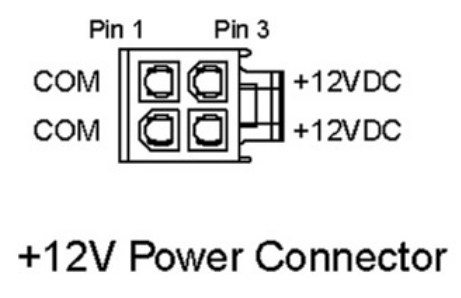
If you have the same PSU model and are wondering about the other connector, besides the 8-pin – it’s just a standard 4-pin ATX connector.
Leave a comment