How to disable the sleep timer on Amazon Fire TV
Background
I have an Amazon Fire TV, model #: K24NE5. Like some TVs, it has a sleep timer, however, it only goes up to 3 hours.
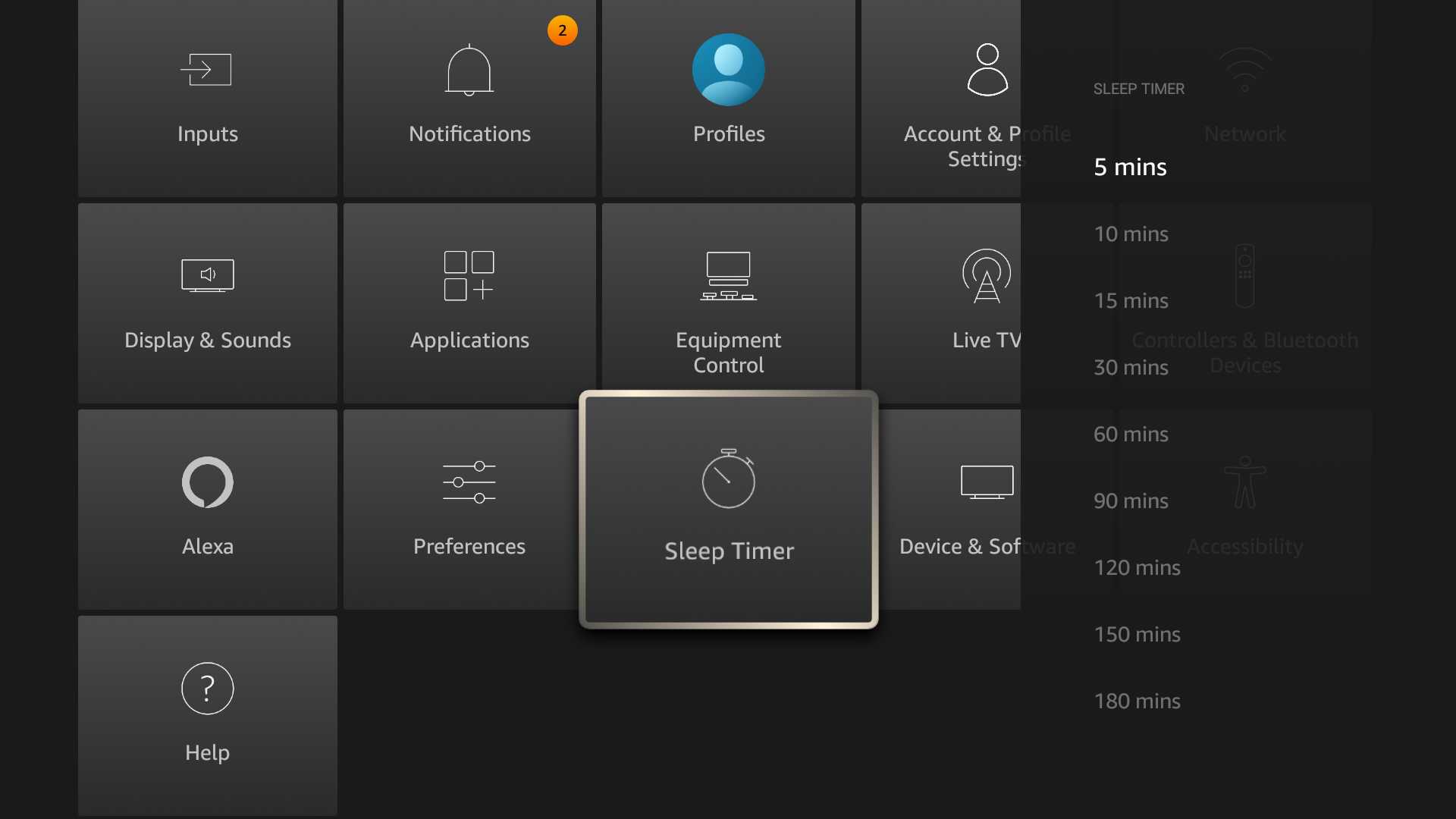
This obviously is not long enough because the TV can sometimes automatically turn off if I’m watching a movie longer than 3 hours.
Overview
To disable the sleep timer, we’re going to use Android Debug Bridge.
The steps are:
- Enable Developer Options on the TV
- Enable ADB over networking
- Connect PC to TV via Ethernet
- Execute ADB commands to disable sleep timer
The classic way to get Developer access on Android is to tap the “Build Number” field 7 times. The Fire TV doesn’t exactly have the same standard Android menu. Go to Settings in the menu and then click on the “Device & Software” tile. You should see a label called “Your TV”. Use the round button on your remote to click exactly seven times.
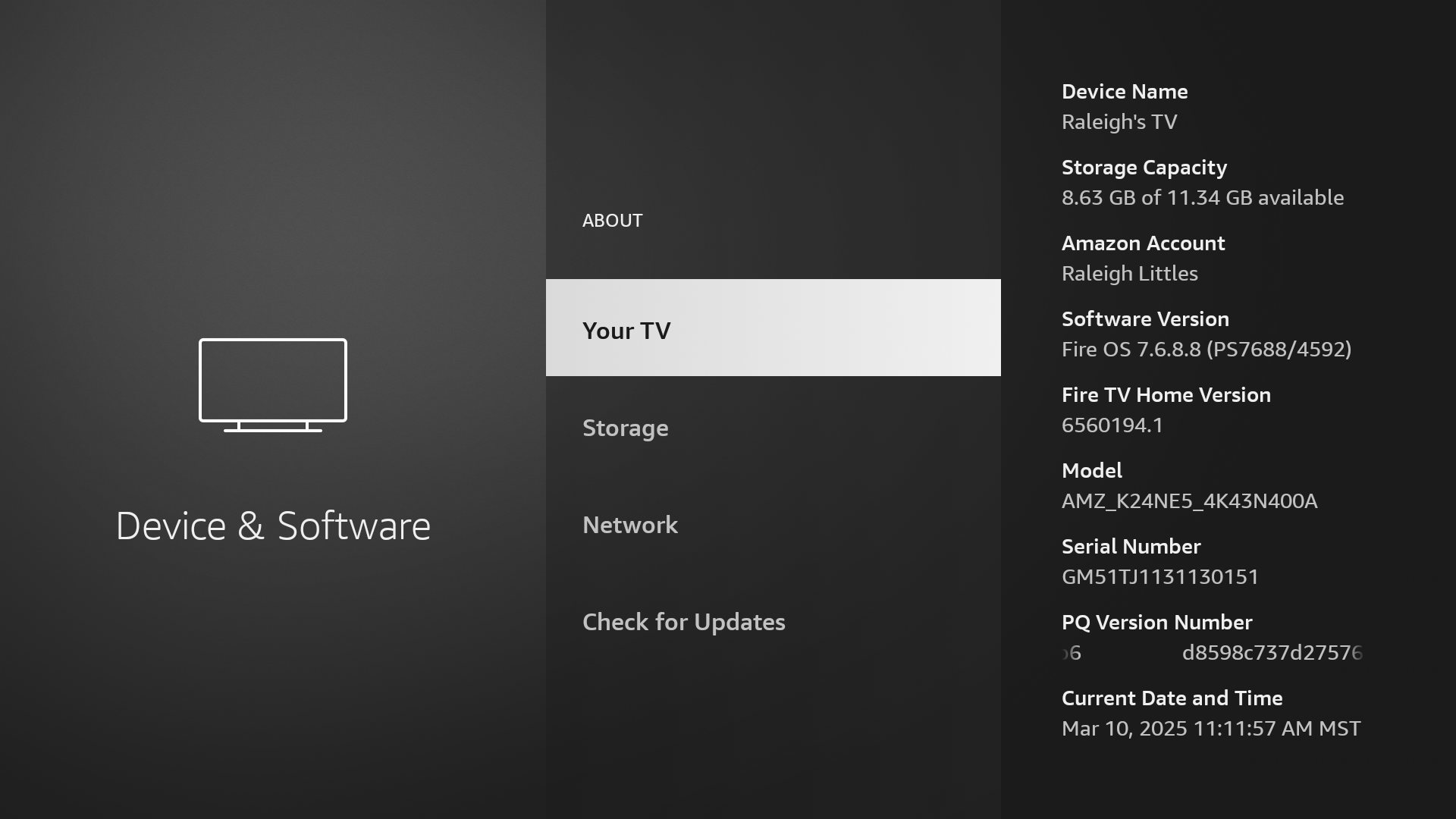
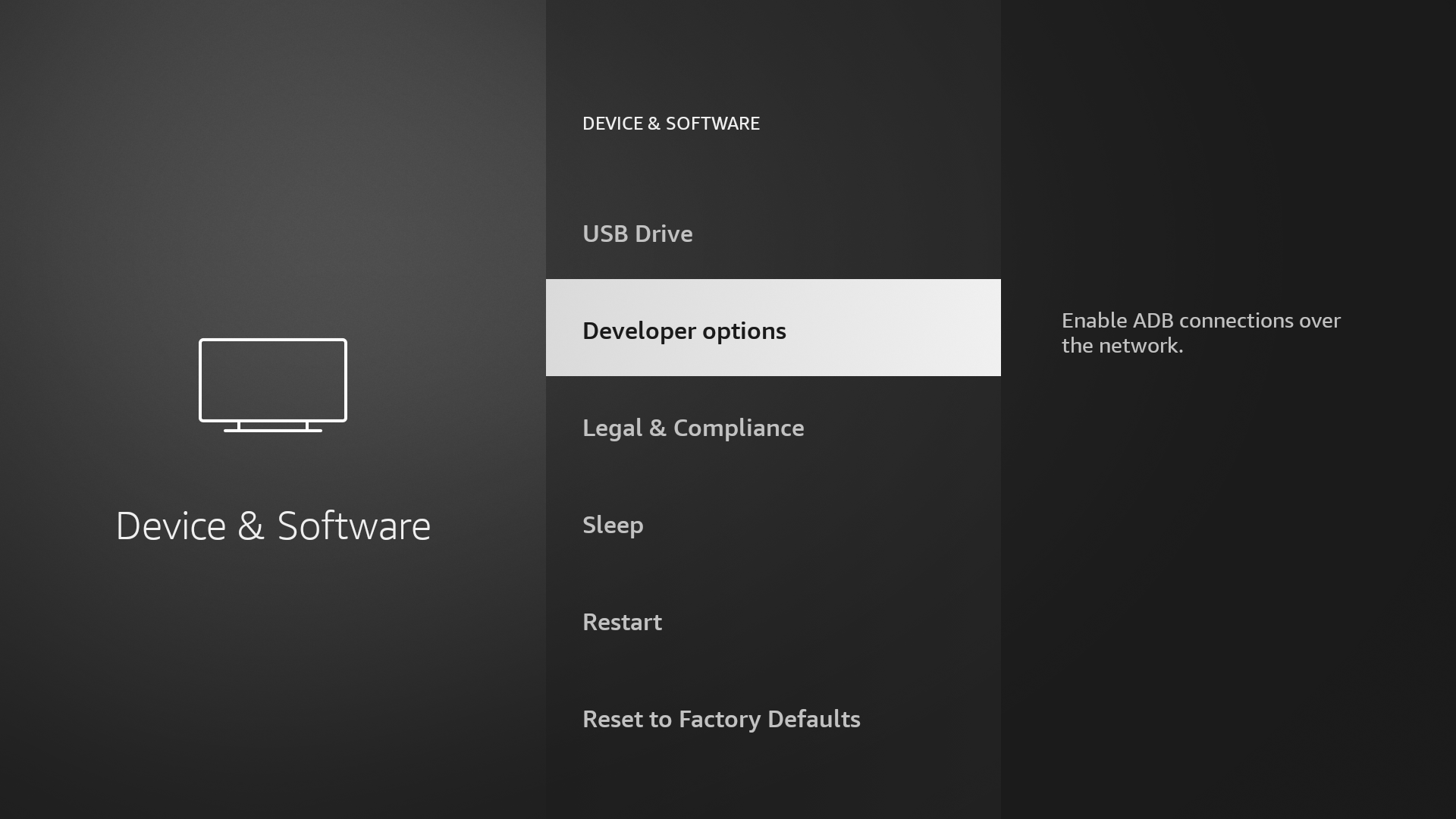
If it worked you should see a small popup that says “You are now a developer”. Go back to the “Device & Software” menu to verify that you see a section called “Developer options”.
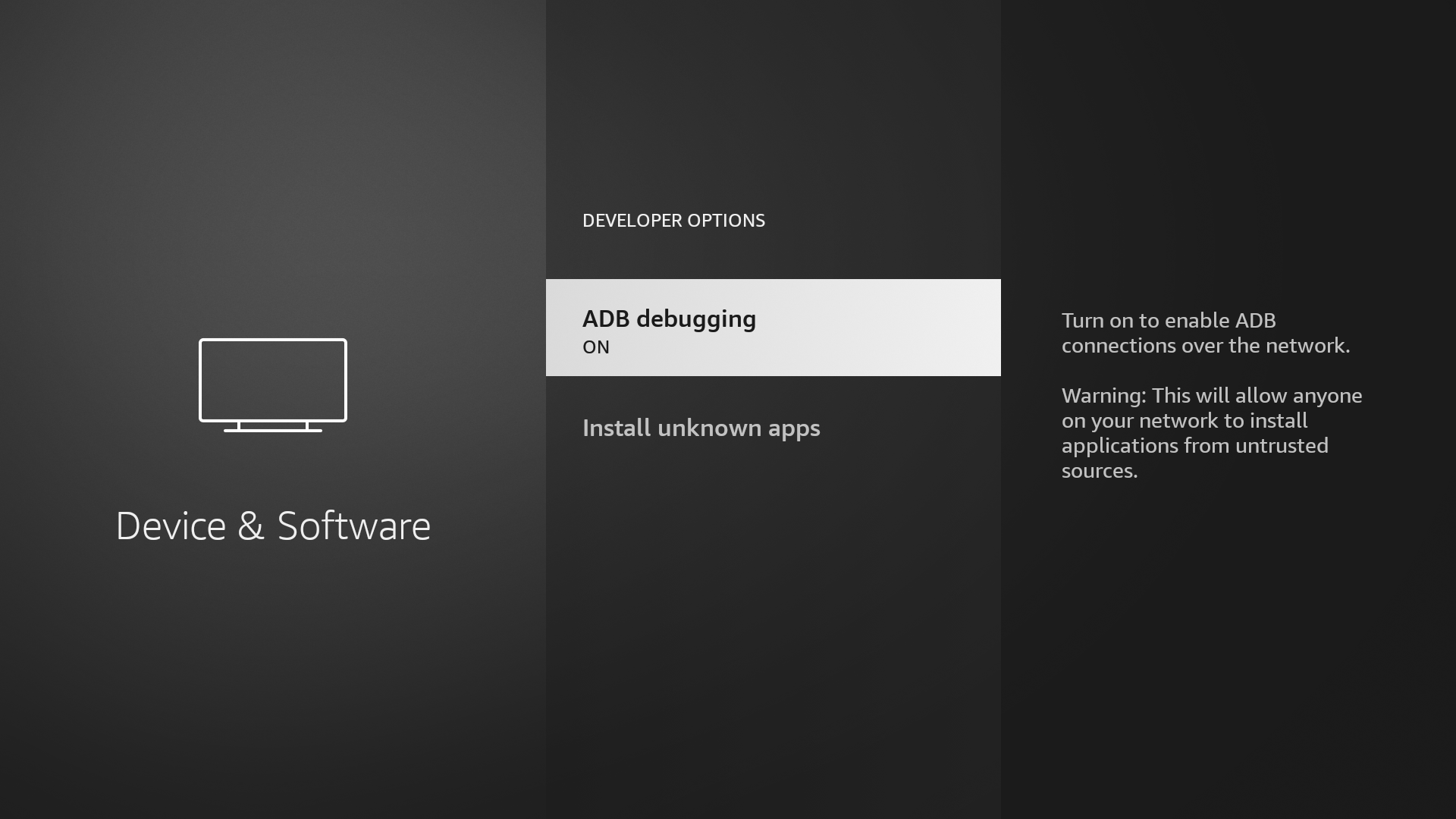
In the developer options make sure ADB access is enabled.
Once ADB is enabled, go to the “Network” submenu under “Device & Software”. Write down your IP address.
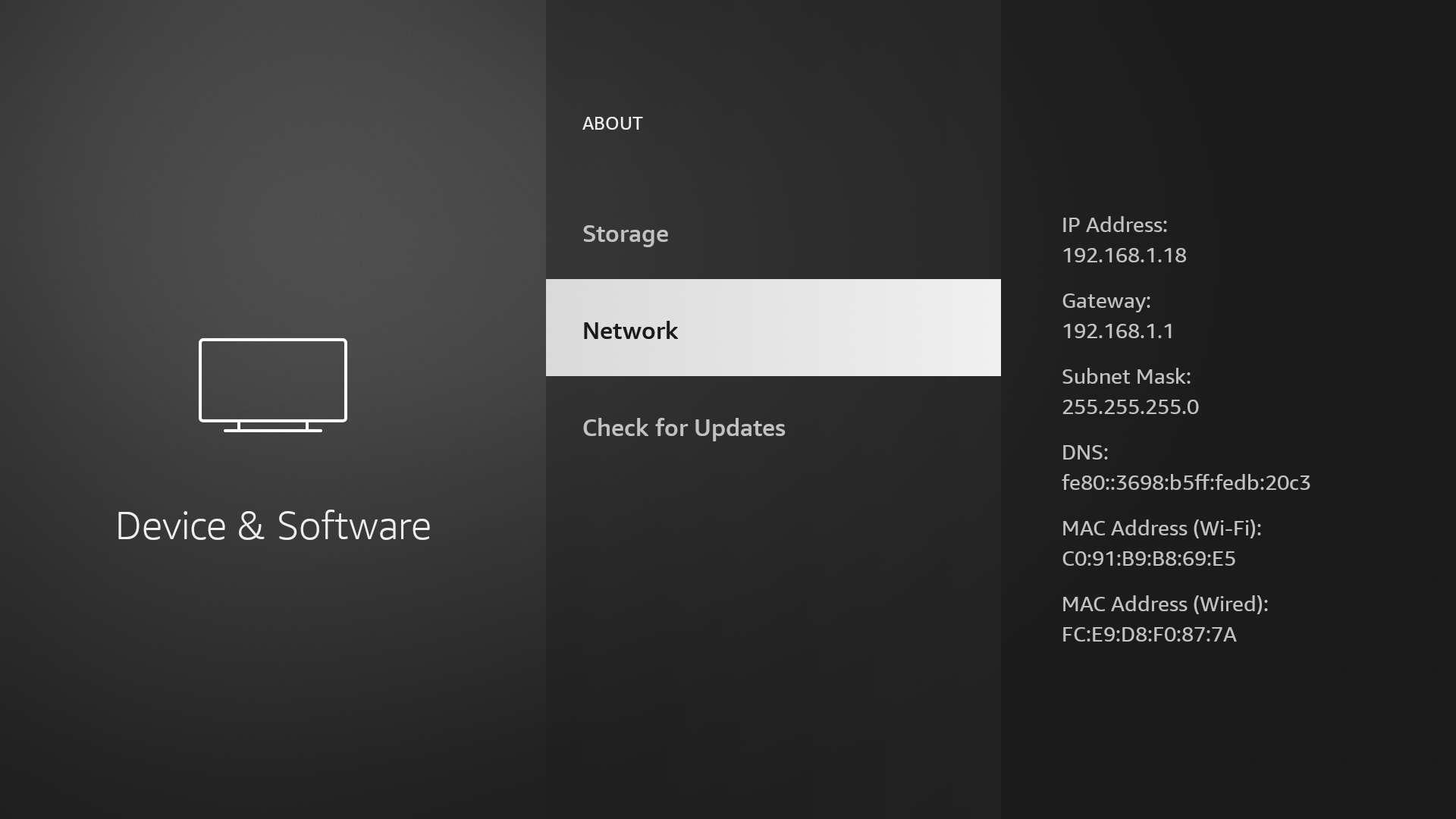
Go to your computer and install ADB. You can use your distribution’s package manager.
$ sudo apt install android-tools-adb
Once installed, connect to your TV with ADB.
Run this command:
$ adb connect <IP ADDRESS>
Then go back to your TV and click “OK” at the prompt about enabling debug access.
Run adb devices and make sure your device appears in the list.
Now is the part where we can run our commands to actually disable the sleep timer.
Run:
$ adb shell settings put secure sleep_timeout 0
to disable the sleep timeout.
Then run:
adb shell settings put system screen_off_timeout 2147483646
This sets your screen off timeout to the largest possible value (in seconds).
To verify the setting was changed, run:
adb shell settings get system screen_off_timeout
Voila! You should now have your sleep timer fully disabled.
Run adb disconnect to disconnect, and now enjoy your fireTV never automatically turning off again.
Leave a comment